
Running a business means juggling many tasks — from managing customers to handling finances. One essential task that every business needs is invoicing. But why start from scratch when Microsoft Excel already offers you ready-to-use Excel Invoice templates?
At SoluExcel, we help simplify your work using the power of Excel — and today we’ll show you how you can quickly create professional invoices using Microsoft’s built-in templates. No coding. No designing. Just plug-and-play.
✅ Why Use Excel for Invoicing?
- Easy to customize with your logo and business info
- Perfect for small businesses, freelancers, and service providers
- You maintain full control of your file
- Built-in formulas auto-calculate totals and taxes
- No need for additional software subscriptions
🔍 Step-by-Step Guide to Create an Invoice Using Built-In Excel Templates
Step 1: Open Excel and Search for a Template
- Launch Microsoft Excel (2016 or later).
- Click on File > New.
- In the search bar, type “Invoice”.
- A list of professionally designed invoice templates will appear — choose one that suits your style.
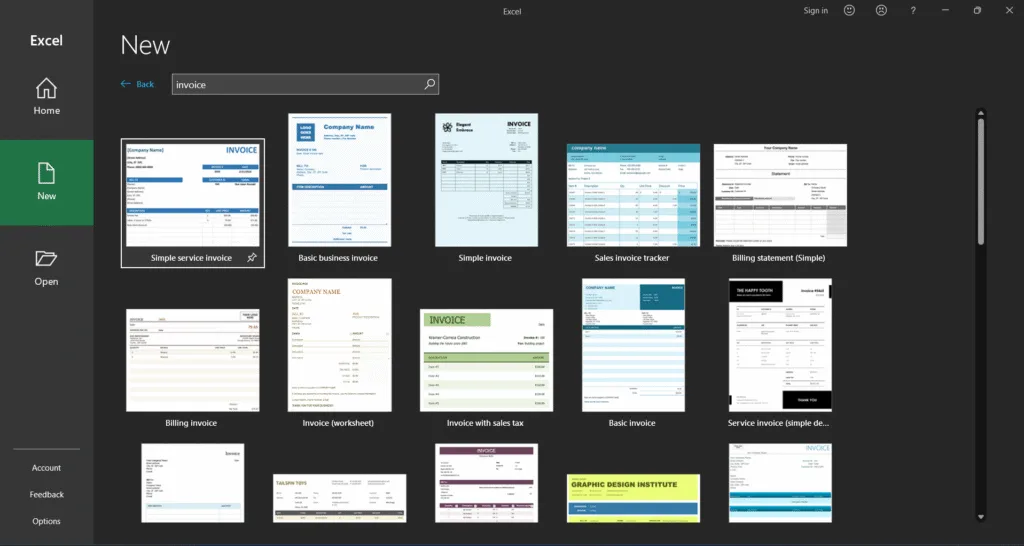
Step 2: Select a Template and Click ‘Create’
Microsoft provides several options like:
- Simple Invoice
- Sales Invoice
- Service Invoice
- Consulting Invoice
Click Create, and Excel will open the template as a new workbook.
Step 3: Customize the Invoice with Your Details
Replace the placeholder fields with your own:
- Company Name & Logo
- Contact Info
- Customer Name and Address
- Invoice Number & Date
- Description of Goods/Services
- Unit Price, Quantity, Tax, Total
💡 Tip: Most templates already contain formulas — so once you enter the quantity and unit price, the total is calculated automatically.
Step 4: Save & Send
- Click File > Save As and rename your invoice.
- Save as .xlsx or export as PDF to send to your client.
Get the video tutorial of Excel invoicing.
🛠 Customize Further with SoluExcel
Want to add drop-downs, automation, or recurring invoice tracking? At SoluExcel, we can help you:
- Add your brand colors & custom formulas
- Create auto-invoice generators
- Build client databases and invoice history dashboards
- Automate reminders using VBA Macros
📦 Download Pre-Made Invoice Templates from SoluExcel
We’ve also created a collection of ready-to-use Excel invoice templates on our Templates Page — designed to be simple, smart, and customizable. You can download and use them for a small price — perfect for freelancers, consultants, and small business owners.
💡 Final Thoughts
Using Excel’s built-in invoice templates can save time, reduce errors, and give your business a professional look. Whether you’re a startup or a solo entrepreneur, mastering this simple trick can streamline your billing process instantly.
Ready to level up your invoicing game?
👉 Visit SoluExcel.com to get custom solutions and templates tailored just for you.