
Details – Gantt Chart Template
- Template Name: Gantt Chart Template (Excel-based)
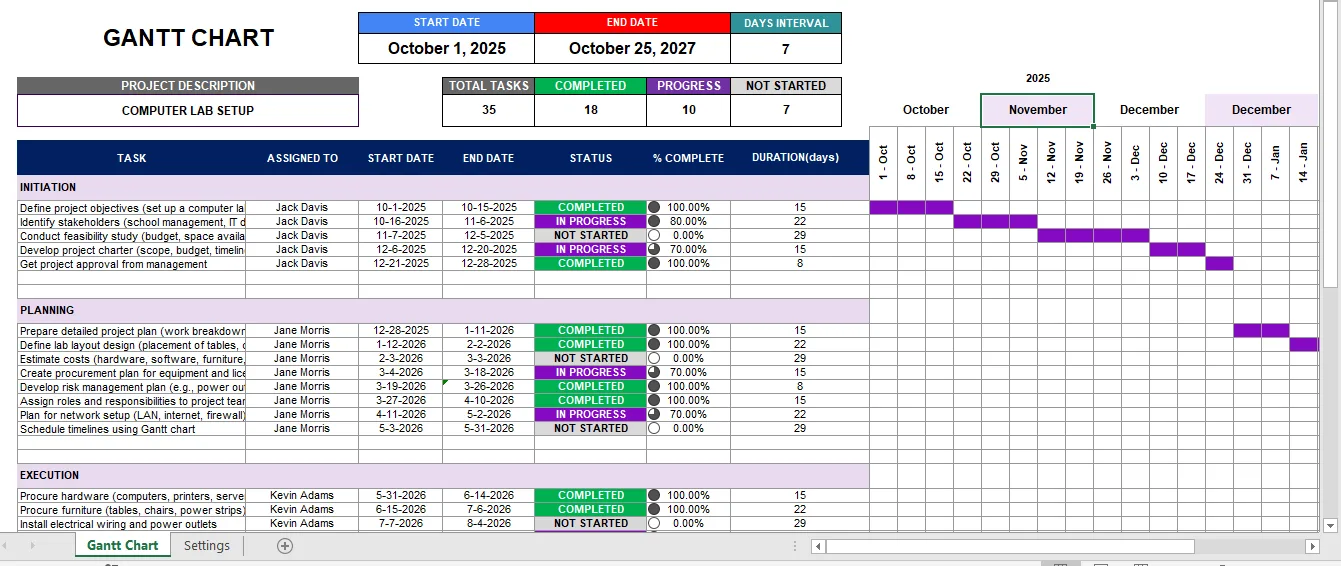
- Purpose: Designed for project management and task tracking, specifically applied here to a Computer Lab Setup Project.
- Main Sheets:
- Gantt Chart: Holds the project plan, task list, progress, and timeline visualization.
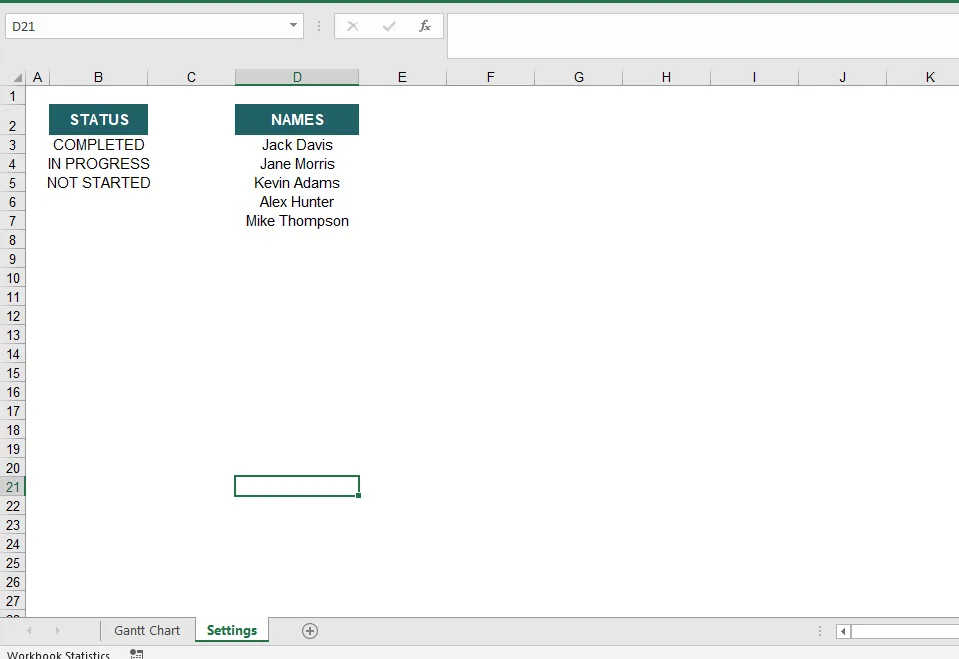
- Settings: Likely contains configurations such as start date, intervals, and formatting options.
⭐ Features of the Gantt Chart Template
- Project Overview Section
- Displays project title and description.
- Shows key project stats: total tasks, completed tasks, progress percentage.
- Defines project start and end dates.
- Task Management
- Task name and category (e.g., Initiation, Planning, Execution).
- Assigned person/team for each task.
- Status field (Not Started, In Progress, Completed).
- % Complete tracking for each task.
- Scheduling & Timeline
- Start Date and End Date fields for each task.
- Duration (days) automatically calculated.
- Days interval customization (e.g., weekly view).
- Calendar-style timeline spread across columns (like a Gantt bar view).
- Progress Tracking
- Color-coded status indicators on the timeline (e.g., Completed, Pending).
- Easy visualization of task progress across the timeline.
- Updates dynamically when dates or completion % change.
- Customization Options
- Adjustable date intervals (weekly, daily, etc.).
- Can add/edit tasks easily without breaking the chart.
- Suitable for any type of project (construction, IT, event planning, etc.).
- Automation & Formulas
- Built-in formulas for progress tracking and duration calculation.
- Automated progress percentage updates when tasks are marked complete.
For more template, please visit https://www.template.net/editable/166571/gantt-chart
Reviews
There are no reviews yet.